
In 30 seconds
- Today’s AI assistants are clever but blind: they do not know your customers, orders or stock unless you connect them.
- MCP is an open standard for that connection. A small “MCP server” sits between the AI and each system, and decides what it may see.
- You stay in control: read-only to start, only the fields you allow, a log of every request, and a person approving any change.
Ask a general AI assistant “which of our orders are late?” and it can only apologise. It has read the internet, not your CRM. The usual workaround is copying data into the chat, which is slow, error-prone and exactly how sensitive data ends up where it should not.
MCP, the Model Context Protocol, is the clean way to connect them. It is an open standard, now supported by the major AI assistants and tools, for letting an AI ask your systems a question through a gate you control.
One question, end to end
Follow a single question from your colleague to your CRM and back. Notice that the AI never touches the CRM itself.
How it works
What happens when your team asks “Which orders are late?”
The steps, in words
- Your colleague asks in plain words: In the chat they already use, or inside your own app.
- The AI picks the right tool: It knows there is an “orders” connection, but not your password or database.
- The MCP server checks access (a person decides): Is this person allowed to see orders? Only those fields, only their region.
- It fetches only that answer: Three late orders, with customer and days late. Nothing else leaves the system.
- The AI replies, and it is logged: A short answer with the source. Every request is recorded for audit.
How MCP works, without the jargon
Think of an MCP server as a receptionist for one of your systems. The AI never gets the keys to the building.
It asks the receptionist, who checks who is asking, fetches only what they are allowed to have, and writes it in the visitor log. You can have one for your CRM, one for your order system, one for your shared documents. Each one decides four things:
Which questions it answers
“Find late orders” and “look up a customer”, but not “export everything”.
Which fields it shows
Order status and dates, but not card details or margins.
Who may ask
Sales sees their own region; finance sees invoices.
Whether it can change anything
Read-only to start. Any update waits for a person to approve.
What your team can do with it
The rules that keep you in control
- Start read-only. The AI can look, not touch. Add actions later, each with an approval step.
- Least access. Each MCP server exposes only the questions and fields that one use case needs.
- Same permissions as today. If someone cannot see a record in your CRM, the AI cannot show it to them.
- Everything is logged. Who asked what, which tool ran, what came back.
- Your data stays yours. Use business AI services that do not train on your data, ideally inside your own cloud account.
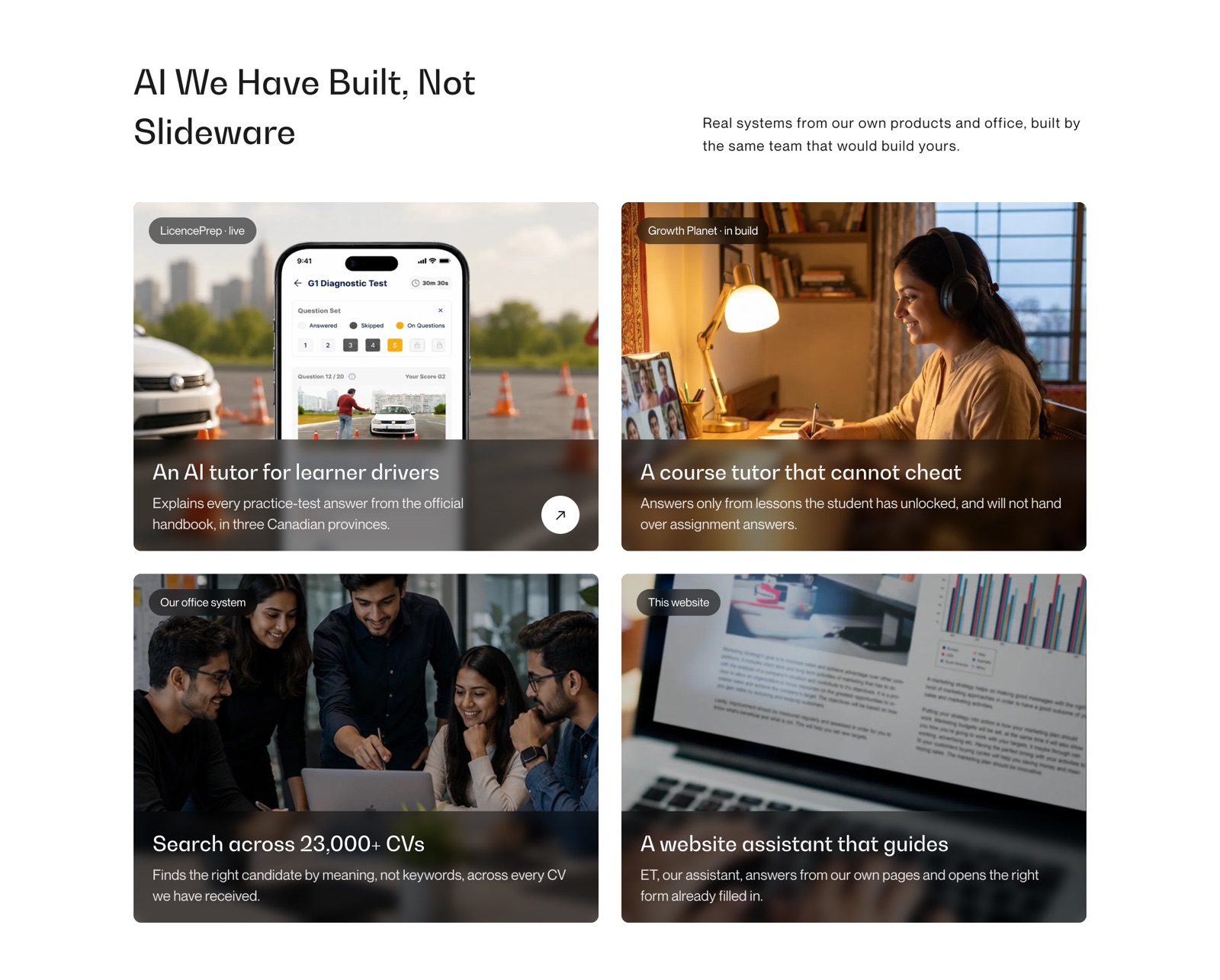
We have built this
AI connected to real systems, in our own products and office
Our office system searches more than 23,000 CVs by meaning, not keywords. LicencePrep’s tutor explains every answer from the official handbook. Growth Planet’s tutor answers only from the lessons a student has unlocked.
Each one is an AI that can only see what it is allowed to see: the same principle MCP makes standard.
Where to start
- Week 1Pick one question
One your team asks every day and answers by hand: late orders, unpaid invoices, a customer’s history.
- Weeks 2–3Connect it, read-only
For one team, with the same permissions they have today.
- Month 1Measure
Did it save them real time? Were the answers right?
- ThenAdd the next question
One at a time, each with its own rules.
Frequently asked questions
Do we have to replace our CRM or ERP?
No. An MCP server connects to the system you already run, through its existing API or database, and exposes only what you choose.
Which AI assistants support MCP?
The major assistants and AI developer tools support it, which is why it is worth building on: one connection can serve more than one assistant.
Is it safe to let AI see customer data?
It can be, with the rules above: read-only to start, least access, the same permissions as your users, full logs, and AI services that do not train on your data.
How long does a first connection take?
One read-only connection for one use case is a focused piece of work, usually weeks rather than months. Our free review gives you an estimate for your system.
Want this for your business?
Ask ET on our website, or book a free 30-minute call with a project lead, not a salesperson.