

A scheduler application appears simple: a calendar, events and users. The difficulty is in building one that works correctly under pressure. A tool that drops notifications, allows double-bookings or freezes under load creates more friction than it resolves. The difference between a useful scheduler and a frustrating one comes down to specific architectural decisions.
This article examines the engineering challenges in creating a scheduler that improves team productivity. We will look at the trade-offs in handling real-time conflicts, designing scalable notification systems and building an interface that can handle dense data without affecting performance. As a software development company, we build custom web and mobile applications that solve these kinds of operational problems.
Key architectural decisions for a scheduler app
Real-time conflict resolution
When two users try to book the same resource simultaneously, the system must have a clear rule for which action succeeds. An optimistic UI confirms the action immediately and resolves the conflict later, which feels fast but risks data inconsistency. A pessimistic lock prevents the conflict by making the second user wait, ensuring consistency at the cost of interface speed.
Scalable notification delivery
An effective scheduler sends timely reminders. For a small team, a simple cron job might suffice. For a larger user base, this approach fails. A robust system uses a message queue to handle notifications asynchronously, ensuring delivery even during traffic spikes or brief server outages. This architecture is more complex to build but is more reliable.
Third-party API integration
Most teams already use a calendar like Google or Microsoft 365. A scheduler that does not integrate with them is an isolated data silo. Building reliable two-way synchronisation requires careful handling of authentication protocols like OAuth 2.0 and managing API rate limits. The trade-off is development complexity versus a tool that fits into your existing workflow.
Performant front-end rendering
Displaying a month view for a busy team can involve rendering hundreds or thousands of event elements. A naive implementation will cause the user interface to lag or freeze. A performant front end, whether built in React, Angular or another framework, uses techniques like virtualized lists and efficient data fetching to ensure the UI remains responsive, regardless of data density.
A scheduler built for immediate consistency requires a server-authoritative model, which can feel slow. An optimistic UI feels faster but demands a robust conflict resolution strategy on the client. There is no single correct answer, only the right trade-off for your team's workflow.
A scheduler is a series of trade-offs
Building a scheduler is an exercise in managing constraints. The choices you make about data consistency, system architecture and user interface performance determine its utility. A simple feature list does not capture the engineering work required to make a tool reliable and effective.
Our experience developing custom platforms for clients like NAR India and the Bar Council of Gujarat involves these kinds of architectural decisions. A successful scheduler is the result of a deliberate development process that prioritises solving the right technical problems for a specific operational context.
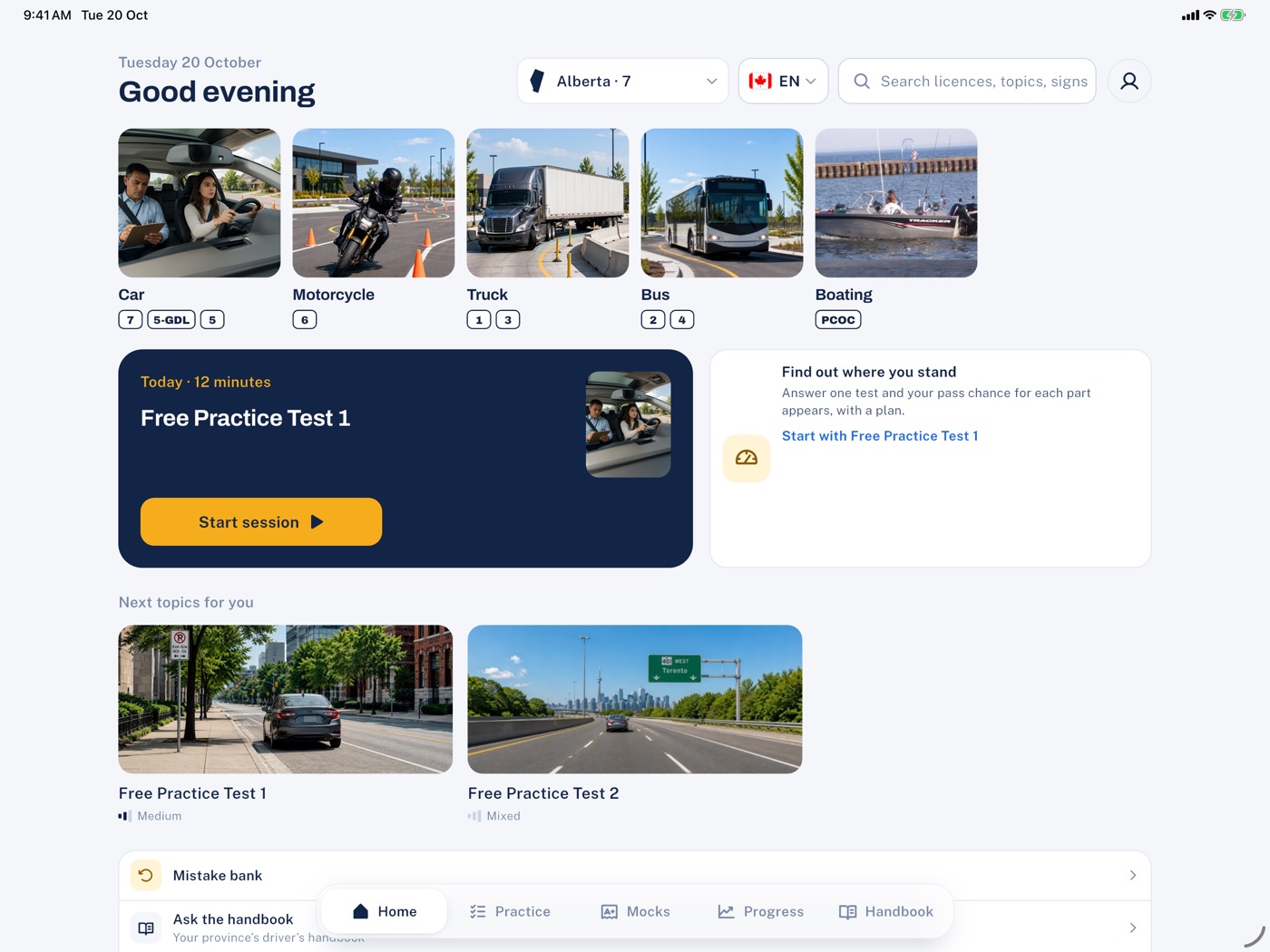
We have built this
LicencePrep and Growth Planet, our own Flutter apps
LicencePrep, our driving-test practice app for Ontario, Alberta and British Columbia, runs on iPhone, iPad and Android from one Flutter codebase. Growth Planet ships its iPhone and Android apps the same way.
Want this for your business?
Ask ET on our website, or book a free 30-minute call with a project lead, not a salesperson.