
When iOS 16 was released, we wrote this piece to summarise its new capabilities. Years later, it serves as a useful point of reflection: which features proved significant for developers, and what have we learned from implementing them? Here is our retrospective analysis of the engineering and design considerations that came with iOS 16, many of which remain relevant today.
The Lock Screen and Live Activities
IOS 16 introduced the most significant change to the Lock Screen in years, turning it from a static display into an interactive surface. For app developers, this created two primary opportunities: widgets and Live Activities.
Live Activities allow an app to display persistent, real-time information on the Lock Screen. This is useful for tracking a food delivery, a sports score or the status of a file upload. The engineering trade-off is managing the lifecycle and data updates for this activity. It requires careful use of background processing and push notifications to update the view without draining the user's battery. You must decide if the value of at-a-glance information justifies this development overhead.
Designing for the Lock Screen also presents a UI/UX challenge. The space is constrained and the user interaction model is limited. Information must be concise and immediately understandable. We work with clients to determine if a Live Activity or widget provides a genuine function or just adds noise.
Focus Filters
The Focus feature was expanded with Focus Filters, an API allowing apps to filter their own content based on the user's current Focus mode. For example, a user in 'Work' Focus could see only their work calendar events or email accounts.
For you as a product owner, this means mapping your app's data and functionality to different user contexts. Implementing this requires more than a simple toggle. It involves changes to your data models and UI logic to conditionally display content. The benefit is an app that feels deeply integrated with the operating system and respectful of the user's context. The cost is the added complexity in your codebase to manage these different states.
Messages and SharePlay
While users gained the ability to edit and unsend messages, the more relevant update for developers was the expansion of SharePlay to Messages. This allowed a user to initiate a shared experience with an app directly from a conversation thread.
Building a SharePlay experience requires synchronising app state and media across multiple devices, which introduces challenges in latency and conflict resolution. It is a considerable engineering effort. For our clients, we evaluate if the collaborative experience is core to their app's value. For media, learning or gaming apps, the investment can be justified. For others, the complexity outweighs the benefit.
Vision framework updates
IOS 16 brought significant updates to on-device machine learning with the Vision framework. Two features stood out: Live Text for video and Visual Look Up's subject lifting.
Live Text in video allows an app to recognise and extract text from a paused video frame. Visual Look Up lets a user lift a subject from an image, separating it from its background. For developers, this provides powerful, pre-trained models for data extraction without needing a server-side component or a custom-trained model.
The trade-off is a lack of control. You are using Apple's model, and its accuracy and behaviour are outside your direct influence. For applications needing high precision or recognition of specialised objects, a custom solution may still be required. For many use cases, however, the Vision framework significantly lowers the barrier to adding this kind of intelligence to your app.
A note on Apple Pay Later
Apple Pay Later was also announced with iOS 16, offering a 'buy now, pay later' option integrated into the Wallet app. This feature has since been discontinued in favour of integrating third-party services. This serves as a practical reminder of the risks of building business logic around a single, platform-specific service that can be changed or removed. A more durable architecture anticipates this by abstracting payment systems to accommodate multiple providers.
As an iOS development company, we help clients navigate these platform shifts. Deciding which new APIs to adopt, how to design for new UI surfaces and when to invest in complex features are critical product decisions. If you are planning an iOS application, we can help you make these choices based on our experience building apps for clients like LicencePrep and Angel EduNext.
We have built this
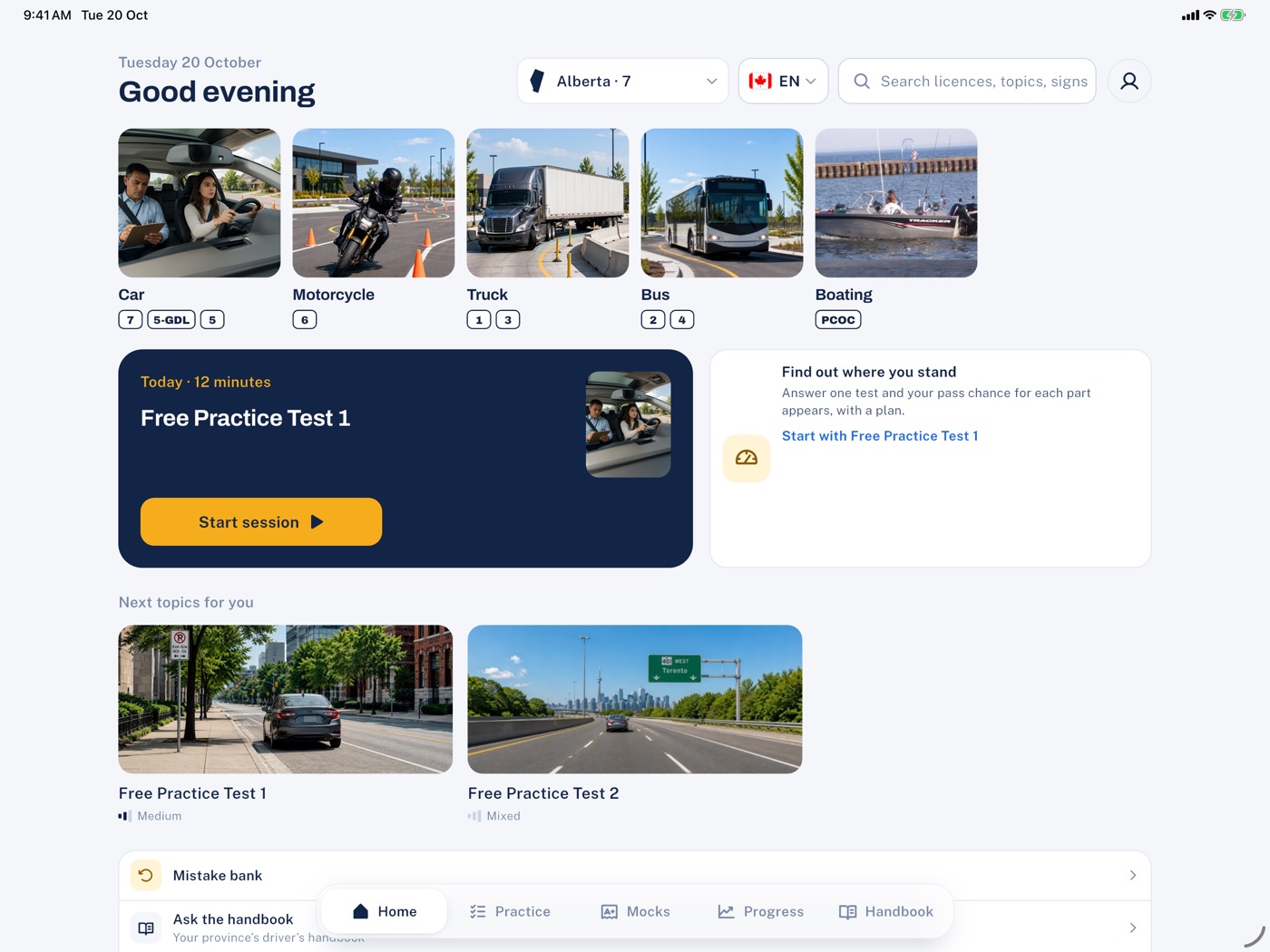
LicencePrep and Growth Planet, our own Flutter apps
LicencePrep, our driving-test practice app for Ontario, Alberta and British Columbia, runs on iPhone, iPad and Android from one Flutter codebase. Growth Planet ships its iPhone and Android apps the same way.
Want this for your business?
Ask ET on our website, or book a free 30-minute call with a project lead, not a salesperson.