In 30 seconds
- Flutter builds iPhone, iPad and Android apps from one codebase, so features ship to every phone on the same day.
- The saving is mostly in upkeep: one team, one set of tests, one release instead of two, every month the app is live.
- Native code still wins for a few cases: heavy 3D, deep hardware use, or an app that must feel exactly like the operating system.
For years the rule was simple: if you want an iPhone app and an Android app, you build two apps. Two codebases, often two teams, and every new feature built, tested and released twice.
In 2026 that is no longer the default. Many product teams now build once in Flutter, Google’s framework for apps that run on iPhone, iPad, Android and more from one codebase.
How one codebase reaches every phone
The screens and the logic are written once. Each app store gets its own native build from the same code, so one change reaches every phone.
How it works
How one Flutter codebase reaches every phone
The steps, in words
- One team writes the app once: Screens, logic and design live in one Dart codebase.
- Shared design system: The same colours, type and components on every device, so the brand looks the same everywhere.
- Builds for each store: The same code compiles to a native iPhone app, an iPad app and an Android app.
- Native where it matters: Payments, camera or Bluetooth can call Swift or Kotlin code through a small bridge.
- One release, every phone: A fix or feature goes out to all users the same week.
What changes for your budget
The first version costs less because the screens and logic are written once. But the bigger difference comes after launch, every month the app is live:
| Two native apps | One Flutter app | |
|---|---|---|
| Codebases to maintain | Two (Swift and Kotlin) | One (Dart) |
| A new feature | Built and tested twice | Built and tested once |
| Release day | Often different per store | Same week on every phone |
| Design consistency | Two teams interpret it | One design system |
| Team | iOS and Android specialists | One Flutter team, native help when needed |
The saving is less “half the price” and more “half the ongoing effort”: fewer places for bugs to hide, and no waiting for the Android version to catch up.
When native still wins
Flutter is not the answer for every app. Choose native iOS and Android code when one of these is the heart of the product:
Heavy 3D and games
Apps that need every bit of the phone’s graphics power.
Brand-new hardware features
Apps that must use a new Apple or Google feature on the day it is released.
Exactly like the system
Apps that must look and behave exactly like the operating system, in every detail.
Even then, it is rarely all-or-nothing. A Flutter app can call native code for the one feature that needs it, through a small bridge called a platform channel.
What to ask before you choose
We have built this
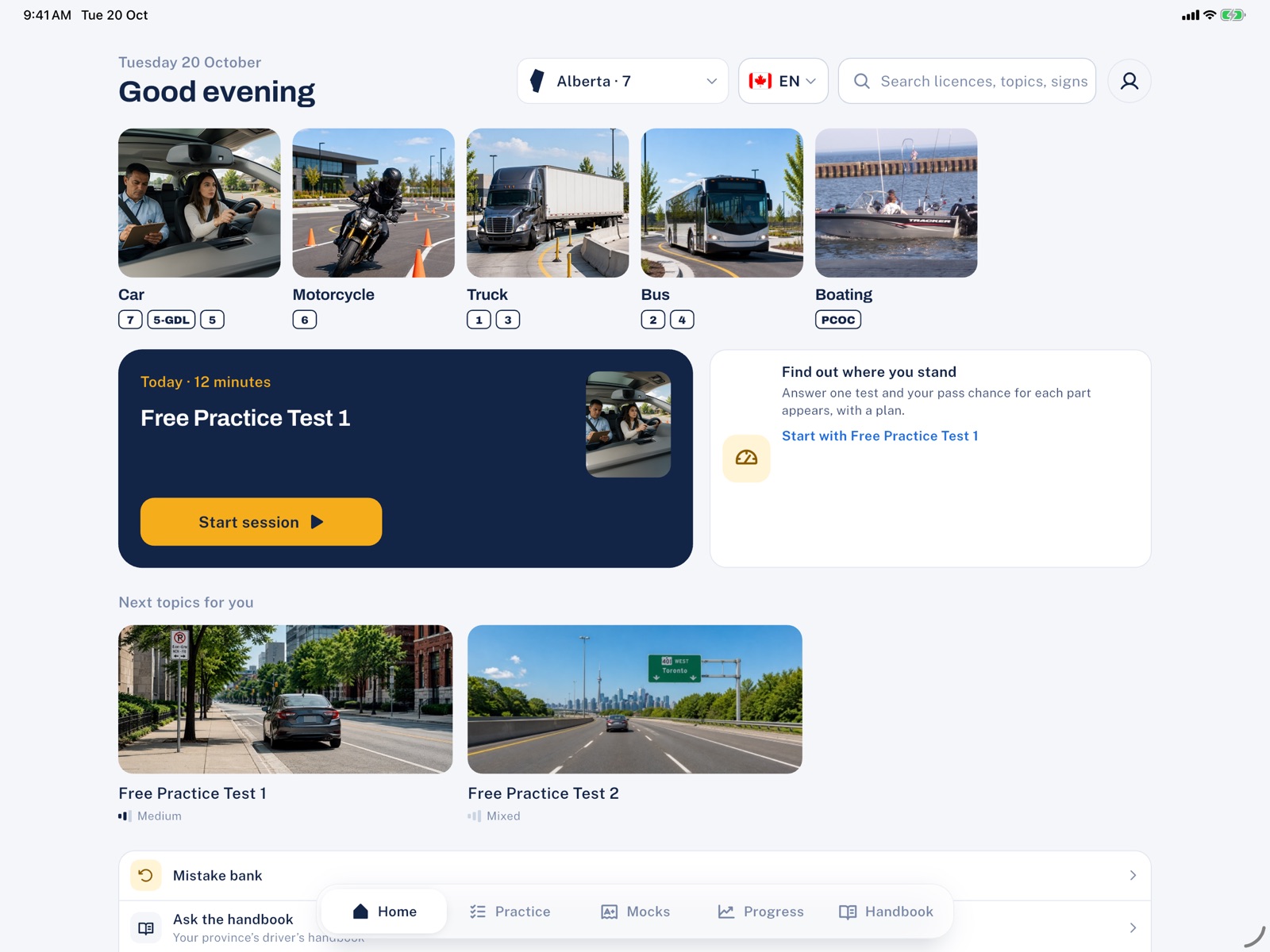
LicencePrep and Growth Planet, our own Flutter apps
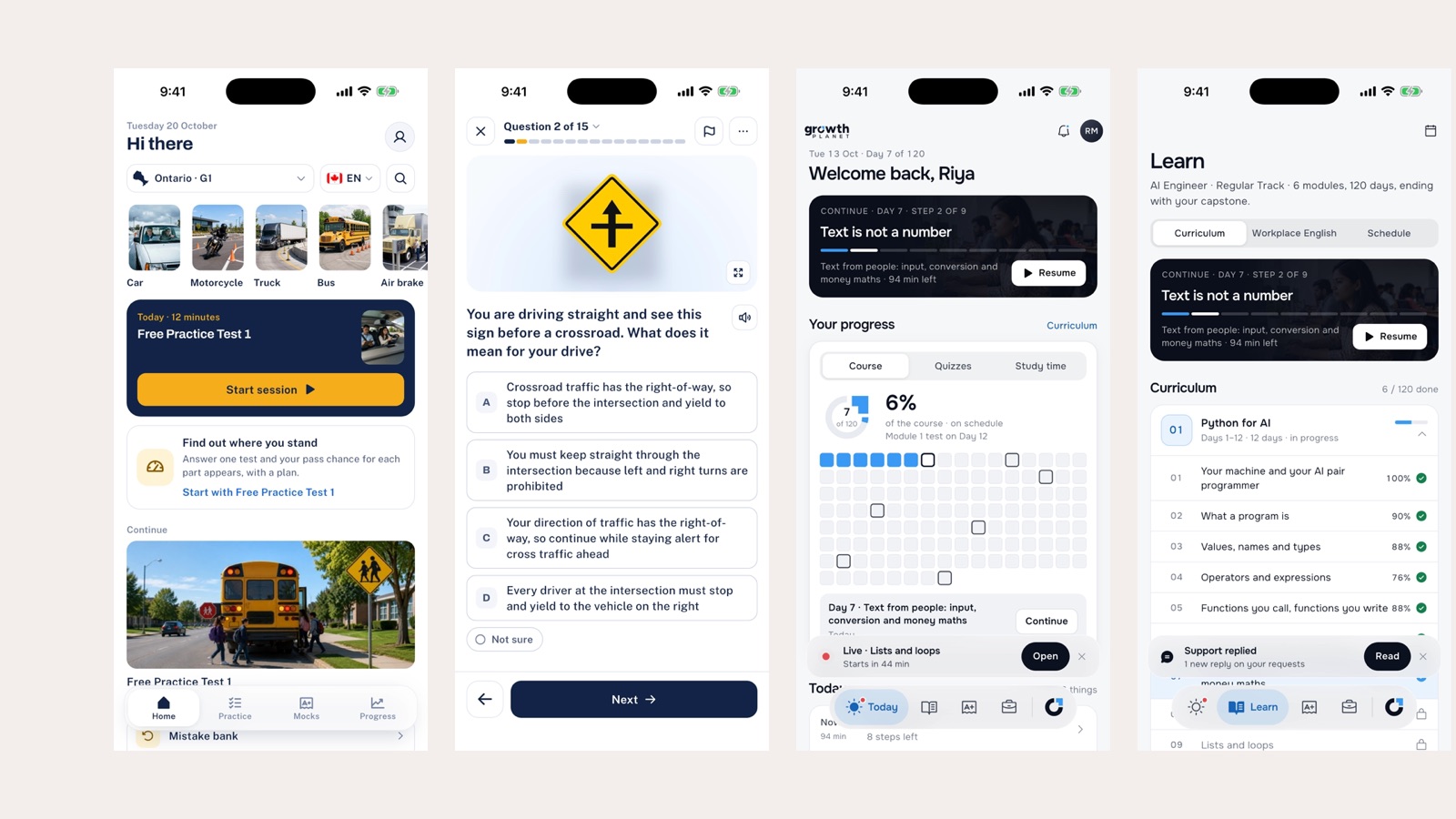
LicencePrep, our driving-test practice app for Ontario, Alberta and British Columbia, runs on iPhone, iPad and Android from one Flutter codebase.
Growth Planet, our learning platform for AI careers, ships its iPhone and Android apps the same way. When we add a feature, every student gets it in the same release.
In practice
Already have two native apps?
You do not have to rebuild everything at once. Flutter can be added to an existing app one screen at a time, a feature Flutter calls add-to-app.
- Start where change is most frequent. The screens you update every month, such as booking or checkout.
- Build them once in Flutter and place them inside both existing apps.
- Release and watch. The rest of each app keeps working exactly as before.
- Move the next screens when the first ones have proved themselves.
Frequently asked questions
Is a Flutter app as fast as a native app?
For business apps (forms, lists, dashboards, learning, booking) users cannot tell the difference. Flutter draws every screen itself at the phone’s full frame rate. Heavy 3D games are the exception.
Will Apple and Google accept Flutter apps?
Yes. Flutter builds real iPhone and Android apps that go through the normal App Store and Google Play review. Our LicencePrep and Growth Planet apps are published this way.
Can Flutter also make our website?
It can, but for a public website that must rank in search we usually recommend a web framework such as Next.js, and Flutter for the apps. That is what we did for LicencePrep.
We already have native apps. Do we have to start over?
No. Flutter can be added to an existing app screen by screen, so you can move gradually and keep your apps live throughout.
Want this for your business?
Ask ET on our website, or book a free 30-minute call with a project lead, not a salesperson.