In 30 seconds
- A translate button is not a multilingual website. Each language needs real, reviewed text on its own address.
- Search engines need language tags to show the right version, and AI assistants need something to read in each language.
- Start with the pages that bring enquiries, in the one or two languages your customers use most.
Gujarat’s customers search in Gujarati. Many buyers across India are more comfortable reading Hindi than English. If your website speaks only English, you are asking them to do the translating, and many will not.
A translate button is not a multilingual website.
One visitor, in their language
How it works
One visitor, in their language
The steps, in words
- A visitor searches in Gujarati: On Google, or by asking an AI assistant.
- The Gujarati page appears: Because each language has its own address and tags.
- They read it in their language: Written for them, not translated word for word.
- They enquire: The form, the buttons and the replies in the same language.
- A person replies (a person decides): Ideally in the language they wrote in.
What a properly multilingual site needs
Real translations
Written or reviewed by people who speak the language, in the words customers use.
One address per language
Gujarati and Hindi pages that search engines can find and show.
Language tags
Tags that tell Google which page is for which language, so the right one appears.
Local formats
Dates, numbers, prices and phone numbers that look right in each language.
Fonts that work
Gujarati and Hindi text that reads clearly on every phone.
A summary for AI
A short file in each language, so assistants describe you correctly.
Real pages, or a translate button?
Real pages per language
- Search engines index each language
- Text written for the customer, and checked by a person
- Forms and replies in the same language
- Your product names translated the same way, every time
A translate button
- Search engines see only the English
- Machine translation, word for word, with mistakes in your own product names
- Forms and messages switch back to English
- No control over how your offer reads
Machine translation has improved a lot, and it is a fine first draft. The difference is a person who reads it before your customers do.
Where to start
In practice
A tiles distributor in Morbi
Say a tiles distributor sells to dealers across Gujarat and North India.
- Gujarati pages for the product range and the dealer enquiry form, for dealers in Gujarat.
- Hindi pages for the same, for dealers in Rajasthan and Uttar Pradesh.
- English stays for export buyers and the catalogue PDFs.
- Enquiries arrive tagged by language, so a salesperson who speaks it replies.
We have built this
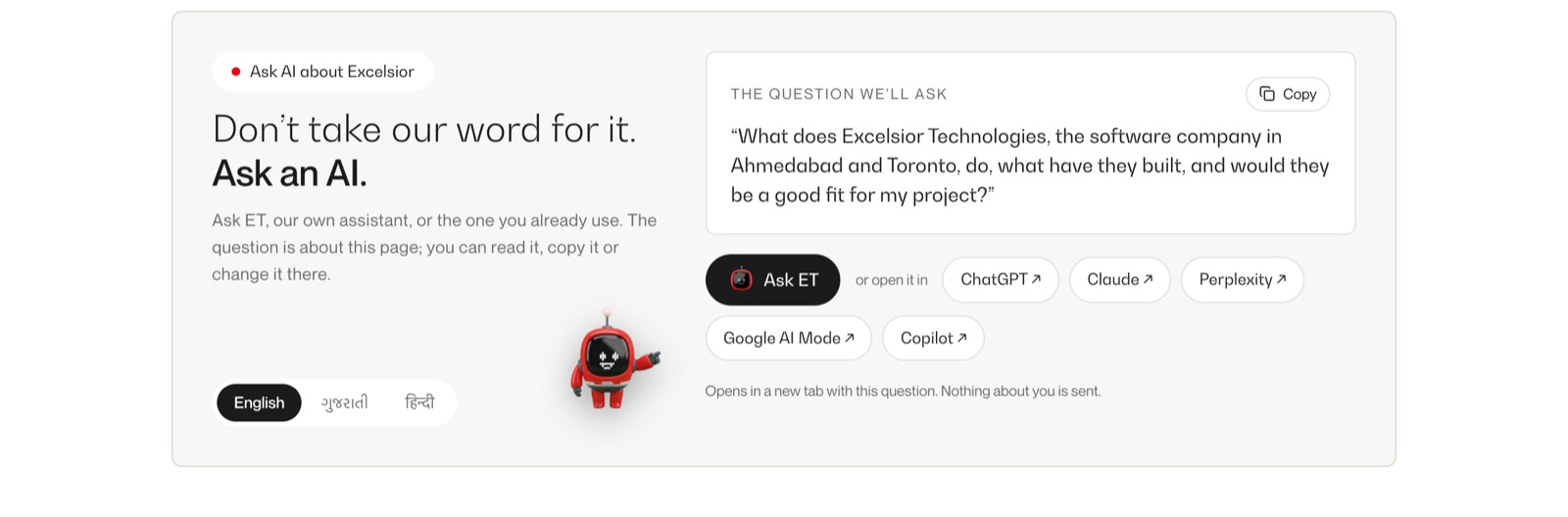
Our own website, in English, Gujarati and Hindi
We publish our summary for AI assistants in English, Gujarati and Hindi, and the “Ask AI” section on our home page offers its question in all three, so a visitor can check us out in the language they think in.
Frequently asked questions
Is a translate widget on the site enough?
It helps a visitor read a page, but search engines do not index those translations, and mistakes in your own product names are common. Real pages per language work better.
Which language should we add first?
The one most of your customers use, on the pages that bring enquiries. Look at the languages customers already write to you in.
Do we need to translate the whole site?
No. Start with home, services, contact and FAQs, and add more as they prove useful.
Who keeps the translations up to date?
Build it so every page has its language versions side by side in the admin panel, and an editor can see when one is out of date.
Want this for your business?
Ask ET on our website, or book a free 30-minute call with a project lead, not a salesperson.