
Mobile applications are more than content consumption devices; they are specific, constrained environments for creation. Developing an application that facilitates creative work requires a series of deliberate engineering choices. The trade-offs you make between performance, platform access and development speed directly shape the final user experience. This article examines the technical considerations for building mobile apps that serve as effective creative tools.
The engineering of a creative interface
Translating a creative workflow, like image editing or music sequencing, to a small touch screen is a significant UI/UX challenge. A desktop interface relies on high-precision input from a mouse and keyboard shortcuts. A mobile app must replicate that control using imprecise touch gestures.
This requires a different design philosophy. Instead of menus, you might use radial controls or context-sensitive toolbars that appear near the user's finger. Haptic feedback can confirm actions without visual clutter. The key is to design an interface that feels direct and responsive, not like a compromised version of a desktop tool. The challenge is managing the cognitive load on the user when screen space is limited.
Platform choices and technical trade-offs
When building a creative app, your choice of technology stack has direct consequences for performance and features. The primary decision is between native development (Swift/Kotlin for iOS/Android) and a cross-platform framework like Flutter.
Native development: performance and hardware access
Building natively gives you direct access to platform-specific APIs for graphics, machine learning and augmented reality. For an iOS app, this means using Metal for high-performance graphics or ARKit for stable world-tracking. On Android, you have access to the Vulkan API and ARCore. This level of control is often necessary for applications involving real-time 3D rendering, video effects or complex image processing. The trade-off is cost and time: you are building and maintaining two separate codebases.
Cross-platform development: speed and consistency
Frameworks like Flutter allow you to build for both iOS and Android from a single codebase. This significantly reduces development time and simplifies updates. For many creative applications, such as vector design or note-taking tools, the performance is more than sufficient. The limitation is that you operate at a higher level of abstraction. Accessing the very latest platform-specific features might require writing native modules, which negates some of the framework's efficiency.
Architecting for collaboration
Many creative workflows are collaborative. Engineering this for a mobile application introduces specific challenges, particularly with state management and network instability.
Real-time collaboration requires a persistent, low-latency connection to a server, typically using WebSockets. To manage simultaneous edits from multiple users, you need a robust system for conflict resolution. Conflict-free Replicated Data Types (CRDTs) are one approach, where data structures are designed to merge changes without conflicts. This is complex to implement but provides a reliable user experience, especially when users may go offline and sync their changes later. The alternative, Operational Transformation (OT), requires a central server to manage the sequence of operations, which can be a single point of failure.
Conclusion
Building a mobile app for creative work is an exercise in managing constraints. The small screen, variable network conditions and distinct platform capabilities present specific engineering problems. Success depends on making informed decisions about your technology stack, designing a UI that works with touch input, and architecting a backend that can handle the demands of collaborative work. By focusing on these technical fundamentals, you can build tools that effectively support creative processes on mobile devices.
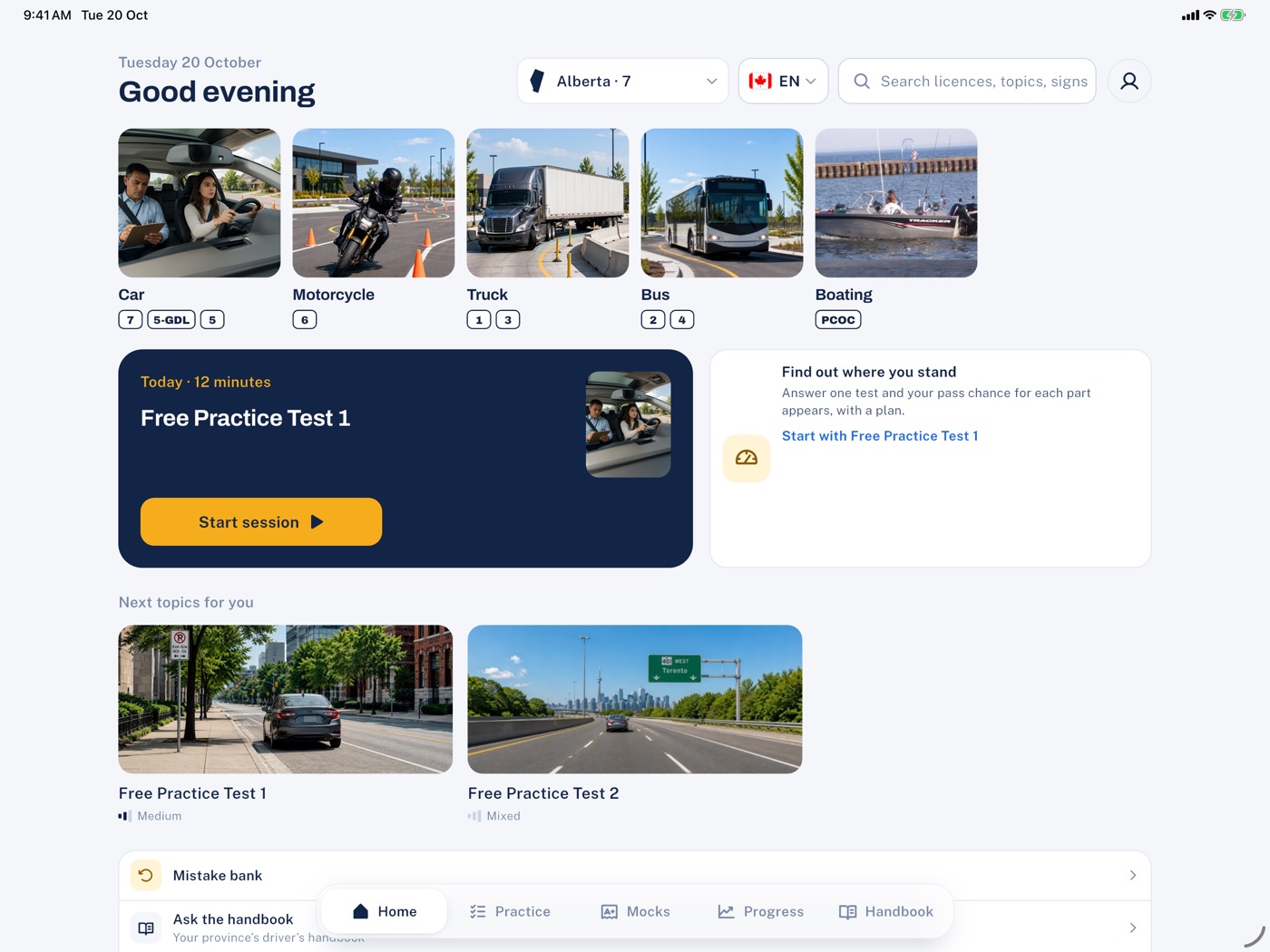
We have built this
LicencePrep and Growth Planet, our own Flutter apps
LicencePrep, our driving-test practice app for Ontario, Alberta and British Columbia, runs on iPhone, iPad and Android from one Flutter codebase. Growth Planet ships its iPhone and Android apps the same way.
Want this for your business?
Ask ET on our website, or book a free 30-minute call with a project lead, not a salesperson.