

Choosing a technology for a mobile application means balancing development speed, budget and the end-user experience. React Native presents a specific set of advantages by allowing one team to build for both iOS and Android from a single JavaScript codebase. This approach can reduce development time and simplify maintenance.
But it is not a universal solution. Understanding its architecture, its benefits and its limitations is necessary before committing to it for your project.
How React Native works
Unlike hybrid frameworks that run inside a webview, React Native runs your JavaScript application logic in a separate thread. It communicates with the native platform over an asynchronous 'bridge'. This bridge allows your JavaScript code to call native UI components—the same fundamental building blocks a native iOS or Android app would use.
The result is a user interface that feels native because it is native. The framework translates your React components into the platform's own widgets, avoiding the performance penalties of browser-based rendering for the UI itself.
Key benefits of React Native
Shared logic across platforms
You can write your application's business logic, state management and data fetching once in JavaScript and share it between the iOS and Android versions. While the UI may require platform-specific adjustments, code reuse can be substantial. It is common to see 70% of a codebase shared, and Facebook reported 87% code reuse for its Ads Manager application.
Native UI components
Because React Native renders using native UI widgets, the look and feel are consistent with the host operating system. Your application does not feel like a website packaged in an app container. It uses the platform's standard buttons, sliders and navigation patterns, which provides a familiar experience for your users.
Access to native APIs
When you need functionality that React Native does not offer out of the box, such as advanced camera controls or specific hardware integrations, you can write a native module. This is a piece of code written in Swift/Objective-C for iOS or Java/Kotlin for Android that is exposed to your JavaScript application via the bridge. This gives you an escape hatch to use any platform feature you need.
Code reuse from React web apps
If you have an existing web application built with React, you cannot reuse the UI code directly because the components are different (<div> vs <View>). However, much of the application logic, such as state management with Redux or data fetching hooks, can be shared between the web app and the mobile app. This can accelerate development if you are building for both web and mobile.
The trade-offs to consider
Performance overhead
The bridge between the JavaScript thread and the native UI thread is asynchronous and has a performance cost. For most applications, this is not noticeable. For applications that require complex animations, high-frequency updates to the UI, or heavy computational tasks like image processing, a fully native application will deliver better performance.
Reliance on native developers
While you can build a simple application with only JavaScript knowledge, any project requiring custom native modules or deep performance optimisation will need developers with native iOS and Android experience. You cannot entirely escape the need for platform-specific skills on a complex React Native project.
Delays in platform updates
When Apple or Google introduces new OS features or APIs, the React Native community and core team need time to create corresponding modules and abstractions. You will not have day-one access to these new features, which can be a limitation if your application's value depends on adopting the latest platform technology quickly.
Building your app with React Native
React Native is a strong choice for content-driven apps, e-commerce platforms and business applications where speed of development and a single codebase are priorities. For these use cases, the benefits often outweigh the trade-offs.
Excelsior Technologies provides dedicated remote developers across ten specialisms, including React Native, iOS and Android. If your project requires a cross-platform approach or needs custom native modules to access specific device features, our developers can build and maintain your application. We have development offices in Ahmedabad, India and Ontario, Canada.
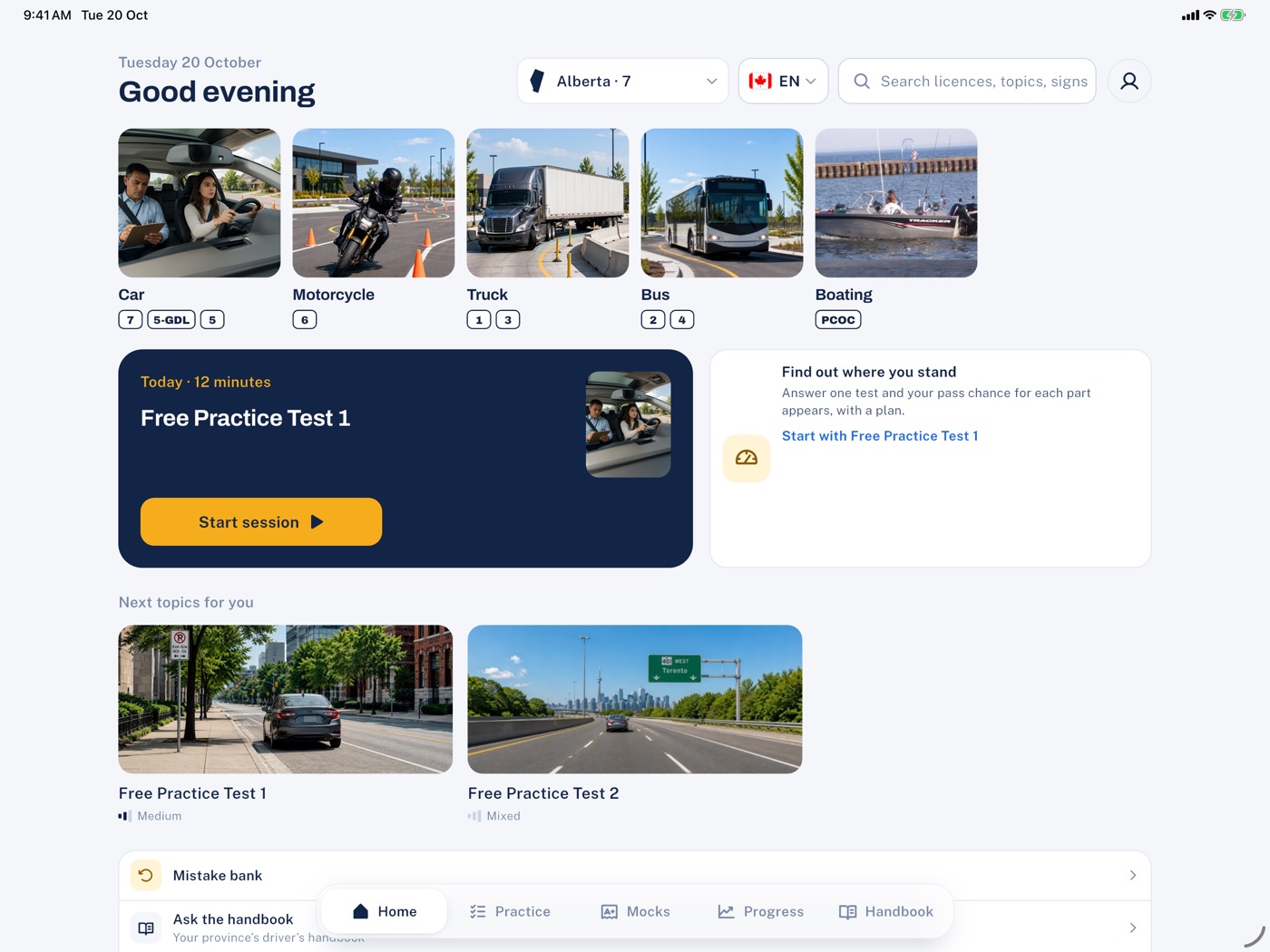
We have built this
LicencePrep and Growth Planet, our own Flutter apps
LicencePrep, our driving-test practice app for Ontario, Alberta and British Columbia, runs on iPhone, iPad and Android from one Flutter codebase. Growth Planet ships its iPhone and Android apps the same way.
Want this for your business?
Ask ET on our website, or book a free 30-minute call with a project lead, not a salesperson.